

Free tool · no sign-up · private
LinkedIn banner maker
Type your headline, pick a background, download at LinkedIn's recommended 1584 × 396. Made in your browser.
On LinkedIn: open your profile, click the camera icon on the background image and upload the file.
Now make your photo match
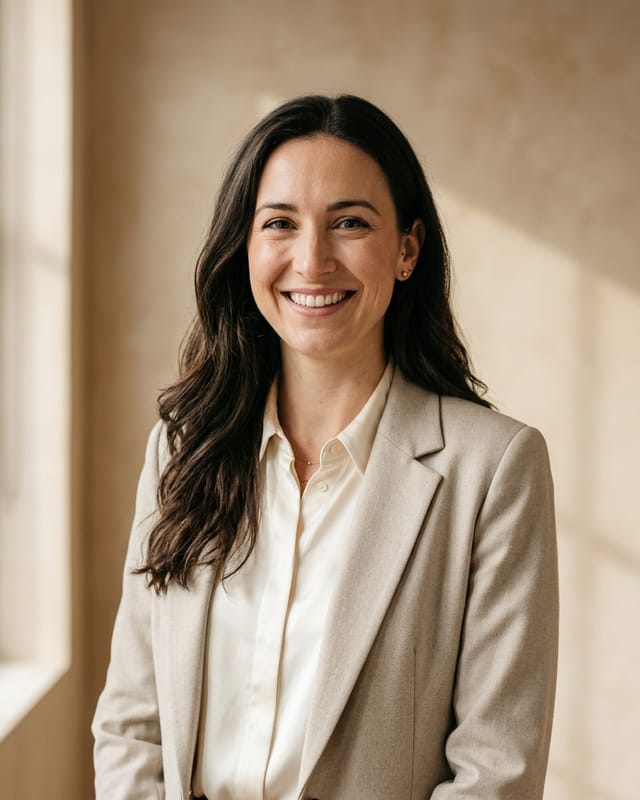
Proud Look turns a few everyday photos into professional headshots that still look like you, and shows you a free preview before you pay.Proud Look turns a few everyday photos into professional headshots that still look like you.
Example: a fictional person made with our AI.
Banner ideas by job
- Recruiter
- “We're hiring: backend engineers” on your brand color, with the careers page as the second line.
- Sales or consulting
- The result you bring (“Lower software costs for manufacturers”) and your booking link or website.
- Healthcare
- A calm gradient, your specialty and clinic: “Family medicine · Riverside Clinic”.
- Real estate
- A wide photo of the area you serve, darkened, with “Homes in your city” and your phone.
- Student or job seeker
- What you're looking for and when: “Looking for a marketing internship · Summer”.
- Freelancer
- Your one-line offer and your portfolio site, on a color that matches your logo.
Tips
- Keep the text on the right: your profile photo covers the lower left on a desktop profile.
- Fewer words read better. On a phone the banner is small, so one short line beats three.
- Match your photo: a calm banner and a clear headshot look like one profile, not two.
- Use a photo you own or took yourself, and check it once on the LinkedIn app after uploading.
Questions
What size is a LinkedIn banner?
LinkedIn Help recommends 1584 × 396 pixels for the background photo. This maker always downloads at exactly that size.
Why is the text on the right?
On a desktop profile your profile photo sits over the lower left of the banner, so text there gets covered. Turn on “Show where your photo covers it” to see the rough area; it's an estimate, since LinkedIn doesn't publish it and it changes by screen.
Is my photo uploaded?
No. The banner is drawn in your browser and the file is made on your device. Nothing is sent to us.
What should my LinkedIn banner say?
One short line about what you do and for whom (“Helping clinics cut wait times”), and a second line with your role, company or website. Keep it short: on phones the banner is small.
How do I change my LinkedIn banner?
Open your profile, click the camera icon on the background image, upload the file and save. LinkedIn lets you reposition it before saving.
Who made this?
Proud Look, a small US company that makes AI headshots from everyday photos. The banner maker is free and needs no account. We're not affiliated with LinkedIn.
Size source: LinkedIn Help, checked November 5, 2026.
Free LinkedIn photo checkerFree email signature generatorAll free tools