

Guide · Updated November 6, 2026
How to make a family portrait with AI from separate photos
Written by Proud Look, which sells AI group portraits. The free ways come first.
Short answer
- Each person sends a recent, well-lit photo of themselves, alone.
- A free app, an AI assistant or a service puts the photos together in one scene.
- Then check every face on its own: with several people, it's common for one to drift.
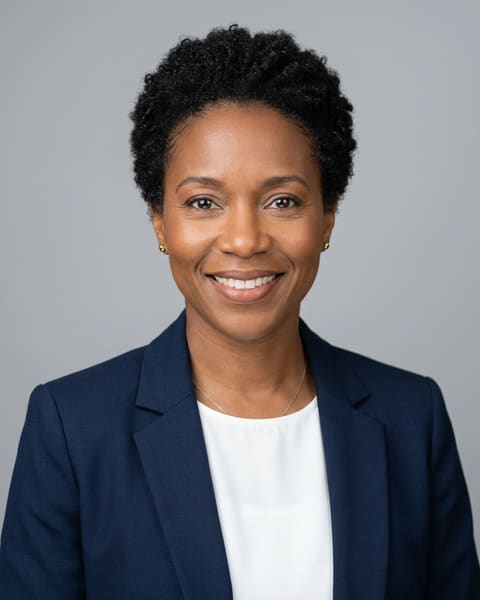

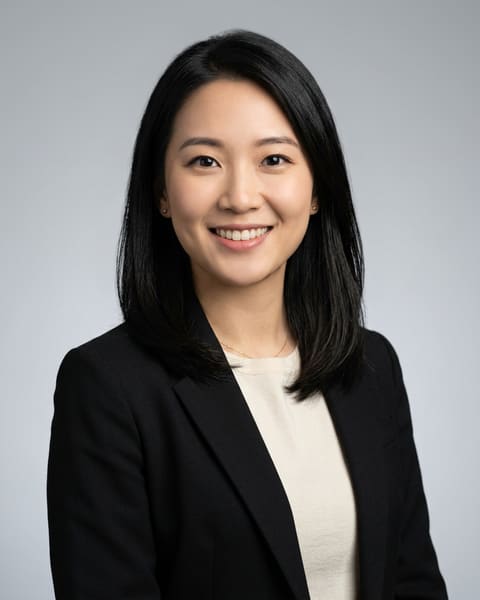

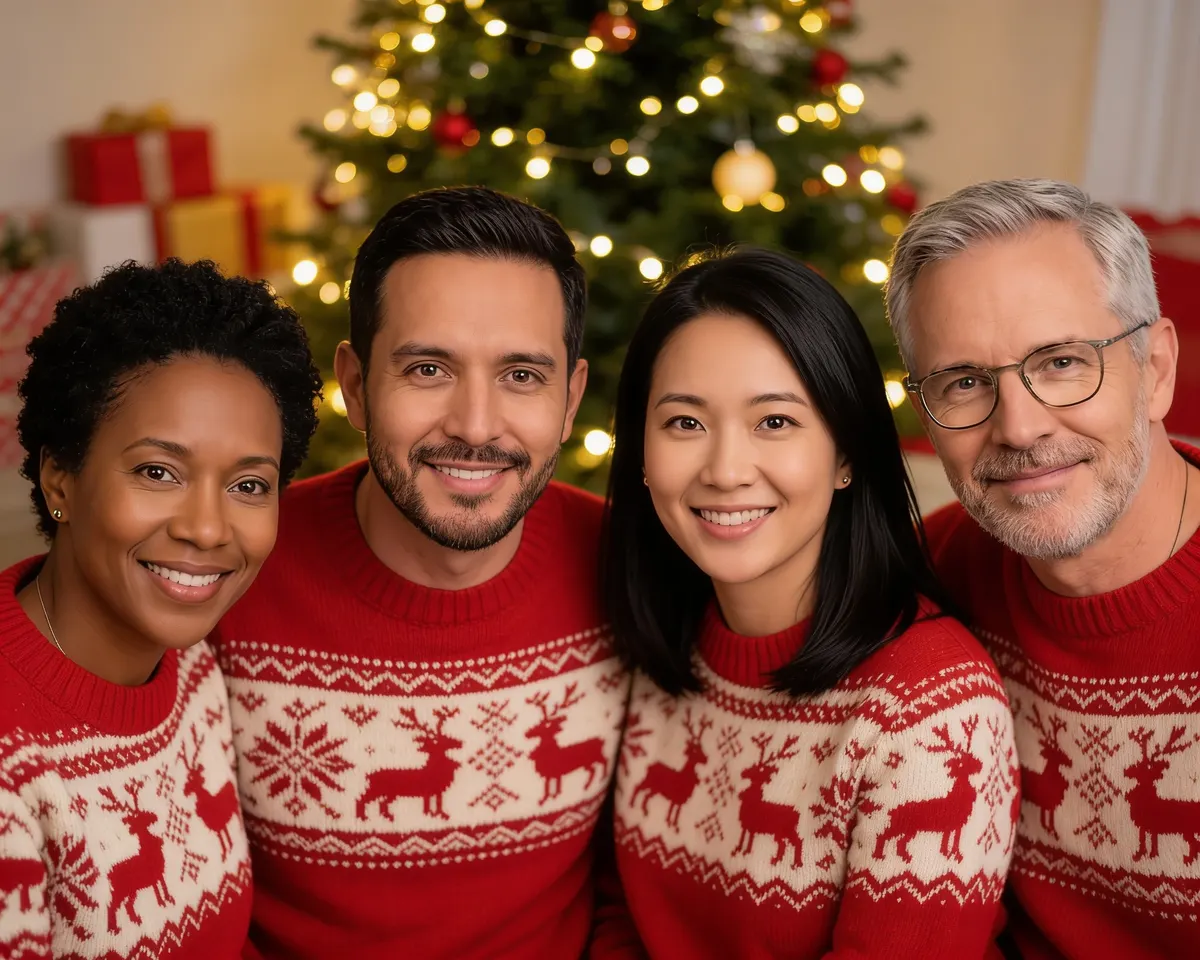 AI example
One photo from each of four people, and the portrait made from them. Fictional people.
Four ways to do it
Free “merge photos” apps and sites
You upload one photo of each person and the app puts them in one scene.
Quick and free or nearly. Faces often drift, and nobody checks the result for you.
A general AI assistant (ChatGPT, Gemini…)
You upload the photos and describe the scene in a prompt.
Flexible. Every person you add makes it likelier that one face blends into another or someone goes missing.
A human painter or photo editor
You send the photos and they paint or edit the portrait.
Can be beautiful, but takes weeks and usually costs much more.
An AI group portrait service
Each person uploads their own photos; the service makes and checks the portraits.
Faster than a painter; what matters is whether it checks every face and lets you get one fixed.
What goes wrong with several faces
Someone turns into someone else
The AI draws a new face for each person. With several people, it sometimes puts in a similar-looking stranger instead of the real person.
One person too many, or one missing
In our own tests with 6 people, models sometimes added a seventh person or showed someone twice.
Things jump from face to face
One person's glasses, beard or earrings show up on someone else.
Clothes from the photos sneak in
If someone uploads a photo in a suit, they may wear the suit in the Christmas picture too. Ask for the clothes you want, and say the photos are for faces only.
Frames and text nobody asked for
Some models draw a white border, a gold frame or letters. Names and dates are better added afterwards as real text.
Do it yourself
The photos
- Each person alone in their photo: if someone else is in it, the AI can mix up the faces.
- Recent photos, facing the camera or nearly, in daylight, no sunglasses.
- One or two photos per person is enough; sharp beats many.
- Similar photos for everyone (light, distance) help the portrait look natural.
A prompt to start from
Upload the photos in order, one person at a time, then fill in the brackets:
Make a warm, natural photograph of exactly [number] adults together in [scene]. Left to right: the person from image 1, the person from image 2, the person from image 3. Use the photos only for faces: each person keeps their exact face, age, skin tone, hair and only their own glasses. No face is blended with another. Everyone wears [clothes]. All faces are clear and fully in the picture. No other people, no text, no frame or border.
Check every face
- Count the heads: is everyone there, and nobody extra?
- Look at each face on its own, next to that person's photo: eyes, nose, smile, hairline.
- Check glasses, beards and earrings: everyone with their own.
- Ask each person if they recognize themselves. If anyone hesitates, redo it: in a family picture, one face that's off spoils the whole thing.
How Proud Look does it
Each adult gets their own link and uploads their own photos. We make the portraits, check every face against that person's own photos and count the heads, and remake any that are off before you see them. Up to 6 people, pets free: $29 for two, $39 for 3–4, $49 for 5–6.
See group portraits